The better alternative to Cardmarket's Shopping WizardSee the comparison →

Buy your card list for less on Cardmarket.

TCG Bundle smartly splits your list across trusted sellers, so you pay less for shipping. It uses Cardmarket's official rates, so you know where you stand before you buy.

Free during the beta. Available in the Netherlands and Belgium, for Chrome, Edge and Brave on your computer. Other countries will follow.

  • Shipping and Trustee Service included
  • Only sellers with 10+ sales and a Very good rating
  • Only acts when you ask it to, you always check out yourself
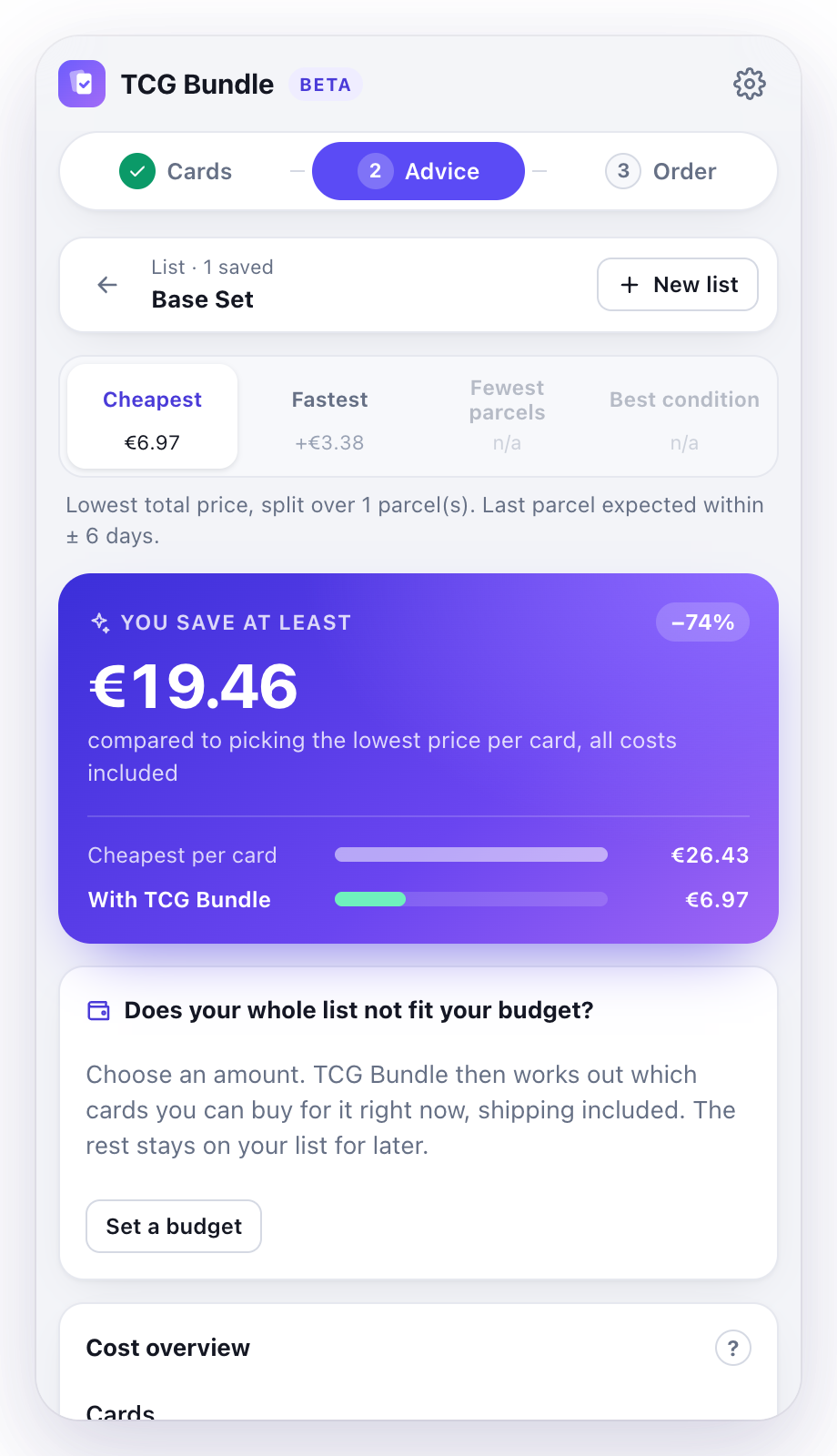
TCG Bundle advice: you save at least €19.42

Real test, 13 September 2026: 5 Base Set cards, Near Mint, English

Works with
  • Pokémon
  • Magic: The Gathering
  • Yu-Gi-Oh!
  • Lorcana
  • One Piece
How it works

From a single card to your cart, step by step

TCG Bundle works in a side panel next to Cardmarket. This is how you build a list and order it, from A to Z.

1

Open a card on Cardmarket

With your own filters, the way you always do.

Find the card you want and set condition and language as usual. Open the TCG Bundle panel: it instantly sees which card you have open, filters included.

Do sign in to Cardmarket: only then does Cardmarket show sellers' offers.

PokémonMagicYu-Gi-Oh!LorcanaOne Piece
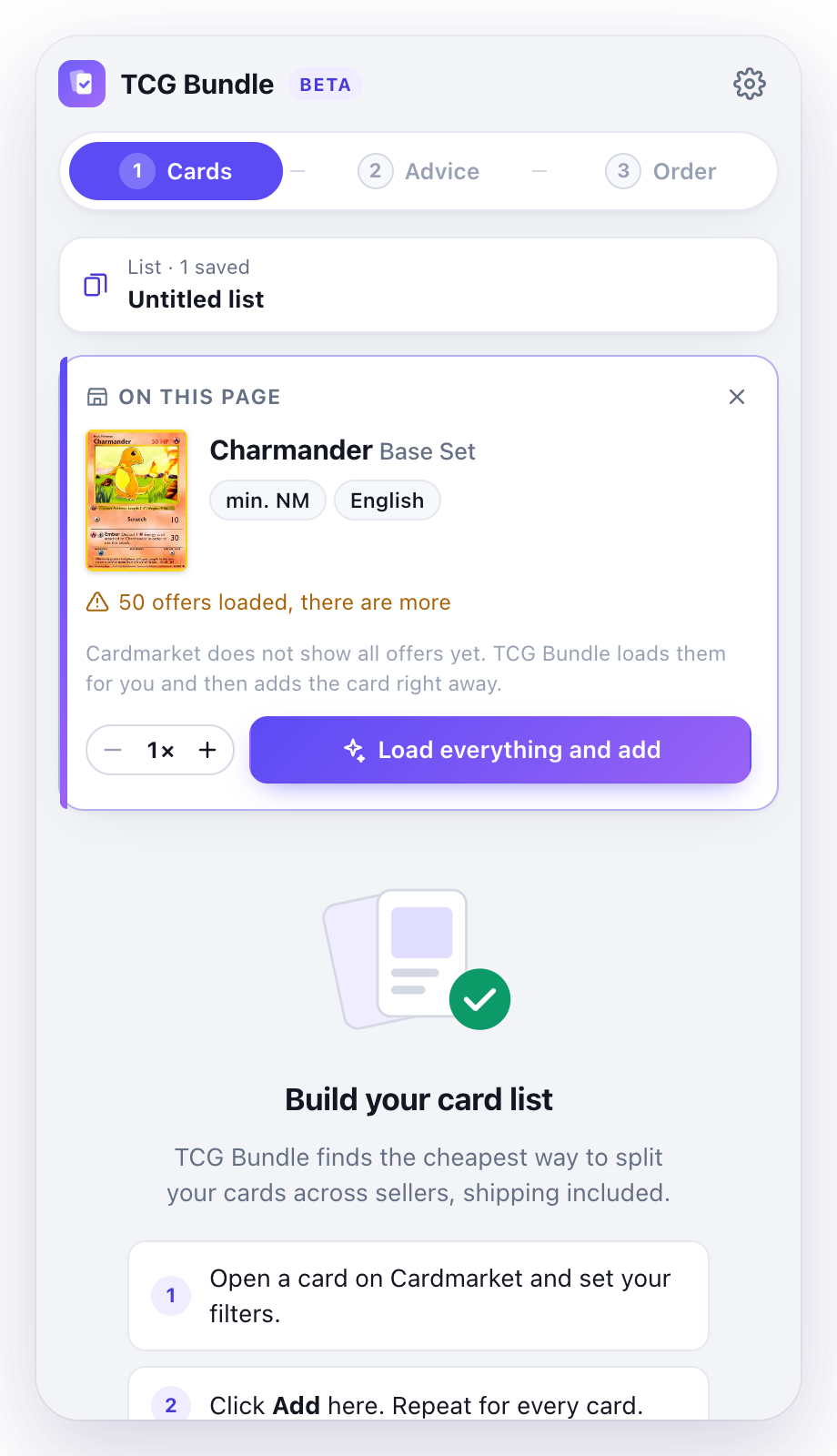
Side panel next to a Cardmarket card with the Load everything and add button
2New in 1.1

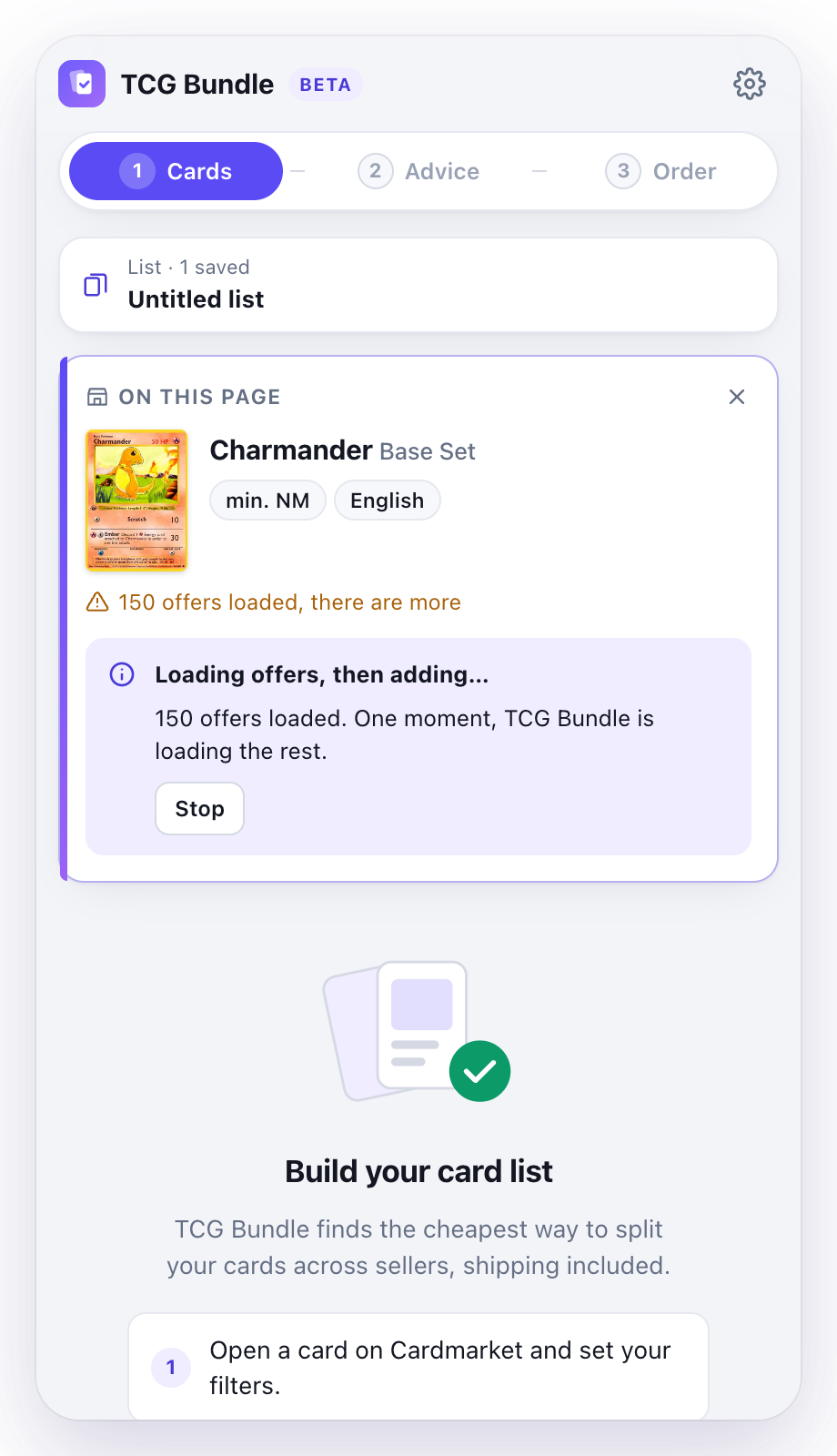
Load everything and add

One click, even with hundreds of offers.

Cardmarket first shows only 50 offers. Click "Load everything and add": TCG Bundle clicks "Show more results" itself until everything is loaded, then puts the card on your list straight away.

Fewer than 50 offers? Then you simply click Add. Need a playset? Set the quantity to 2, 3 or 4.

Every offer1 to 8 copiesStop at any time
TCG Bundle loading every offer of a card and then adding it
3

Repeat for every card

Your list grows in the panel.

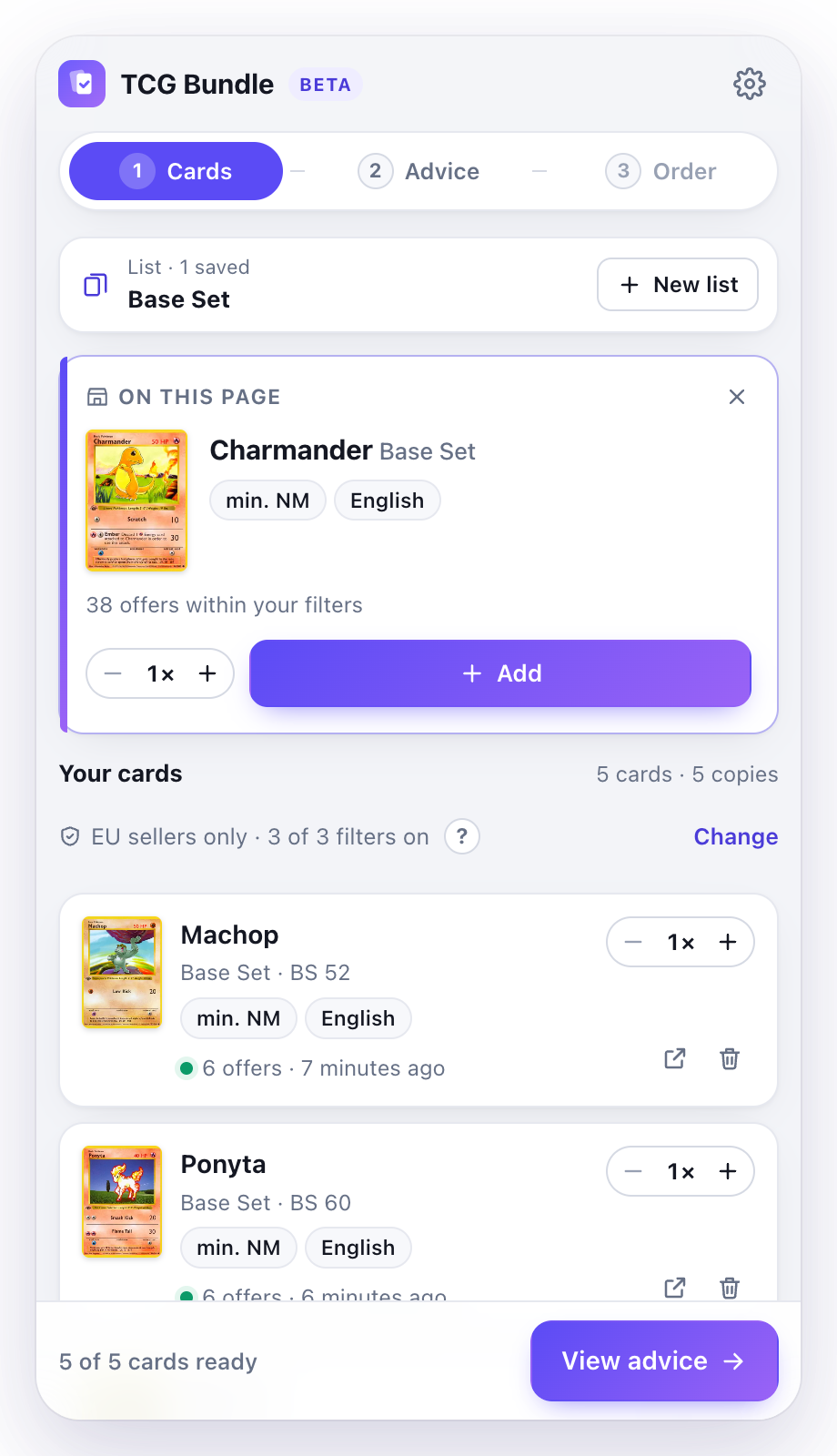
Open the next card and add it. Your list is always in the panel, with your filters and the number of offers for each card. You can change the quantity or remove a card at any time.

Done? Click View advice. Buying something else? "New list" is always at the top; your previous list is kept.

Up to 300 cardsUp to 5 listsSaved automatically
Side panel with a list of five cards and the View advice button
4

Pick your advice

Four ways to buy, side by side.

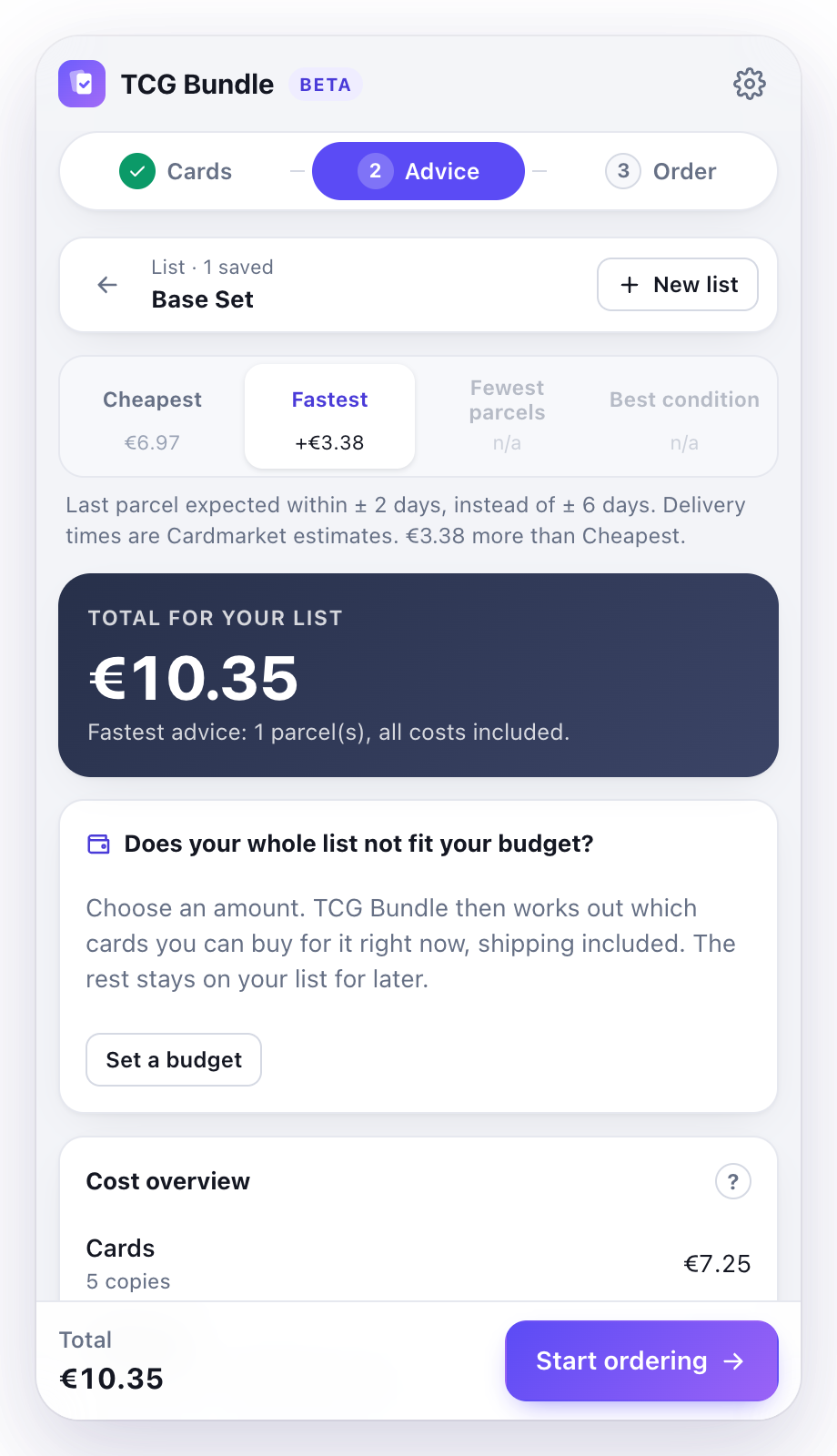
TCG Bundle works out the best way to split your list across sellers. Pick the advice that suits you and immediately see what that choice costs compared with the cheapest advice.

CheapestFastestFewest parcelsBest condition
Advice with four options, Fastest selected
5New in 1.1

Too much? Set a budget

You pick the amount, we pick the cards.

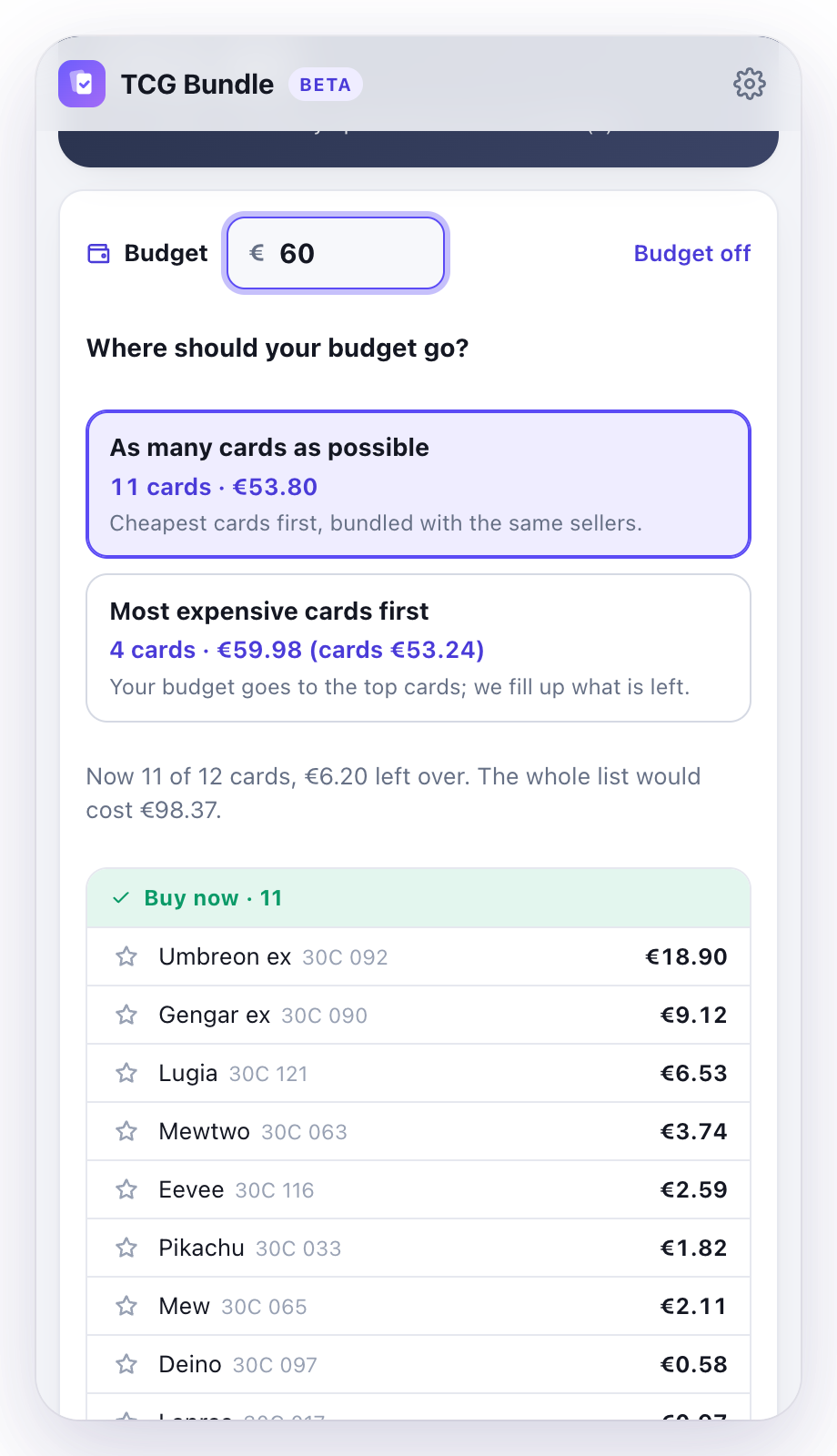
Can't buy your whole list at once? Enter what you want to spend right now, for example €60. TCG Bundle picks which cards to buy for it, with shipping and Trustee Service already included.

You choose: as many cards as possible, or the most expensive cards first. Star a card to make sure it is included. Keep the rest for a next round.

As many cards as possibleMost expensive firstMust include
Advice with a budget of 60 euros and the choice between as many cards as possible or the most expensive cards first
6New in 1.1

See what you buy from each seller

Honest totals, shipping and Trustee included.

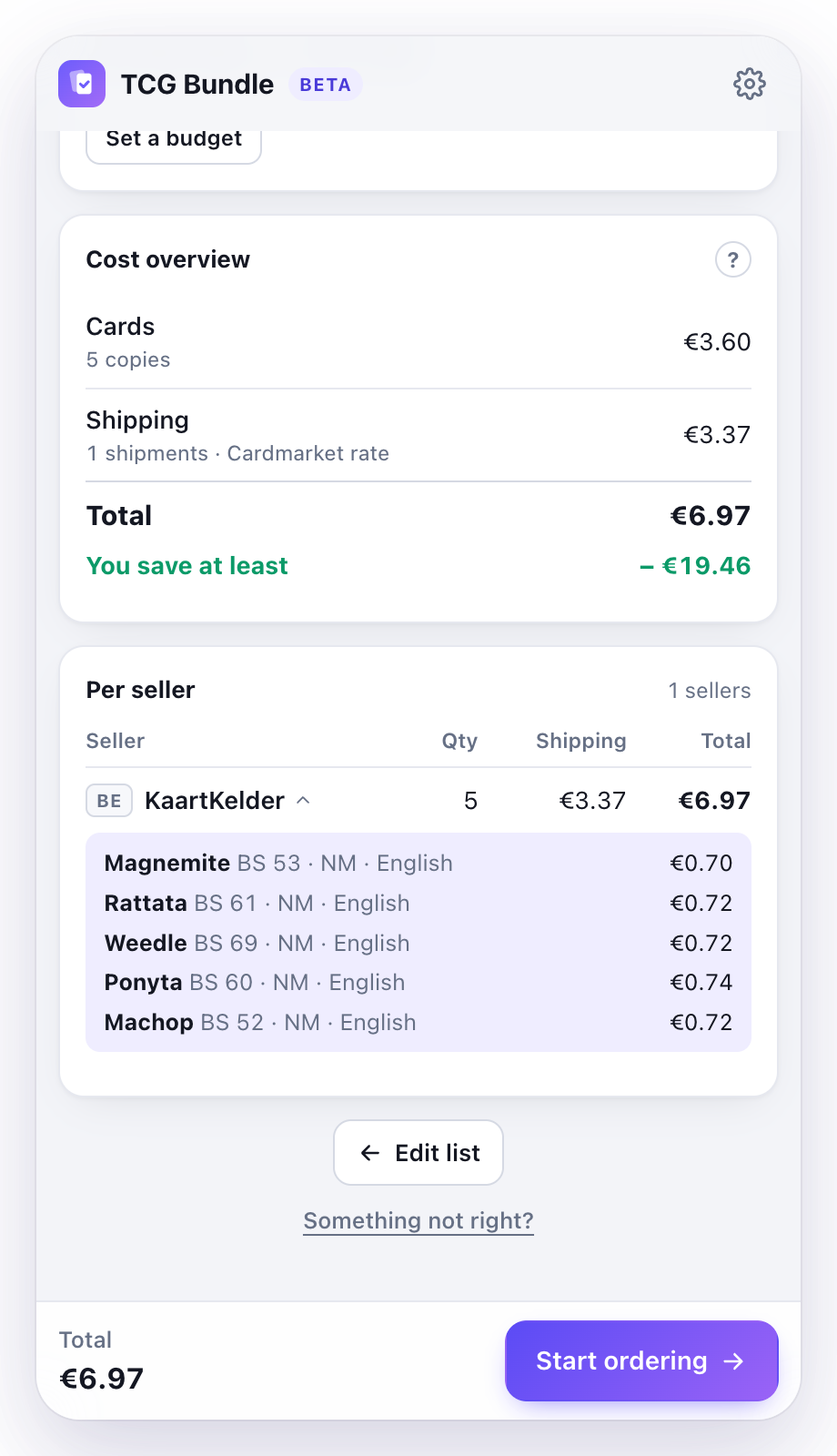
For each seller you see how many cards you buy, what shipping costs and what you pay in total. With a free account, click a seller to see which cards you buy there, with condition, language and price.

We use Cardmarket's official shipping rates to the Netherlands or Belgium, whichever you pick in Settings, and the highest Trustee Service rate. That is why we say "you save at least": the total is an upper limit.

Cost overview and, per seller, the cards you buy there
7New in 1.1

Keep prices up to date

New prices in one click.

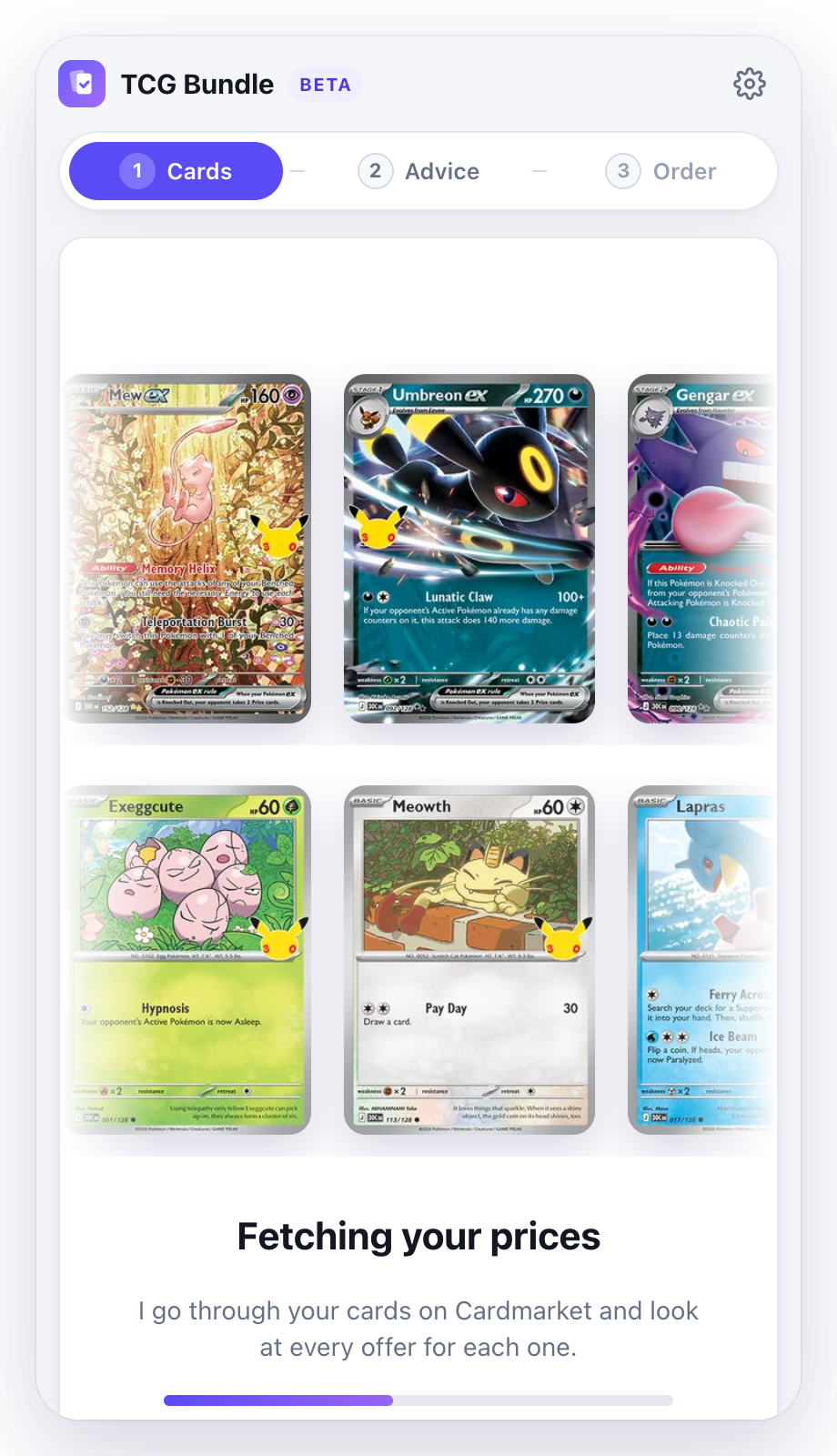
Prices on Cardmarket change quickly. With "Fetch new prices" TCG Bundle goes through your cards again and shows how much cheaper or more expensive your advice has become.

If an offer turns out to be sold while filling your cart, it fetches the prices again by itself and makes an advice that fits. Nothing else happens without you.

Fetch new pricesProgress and a time estimateStop at any time
TCG Bundle fetching the latest prices of your cards, with progress
8New in 1.1

Everything in your cart in one click

You check out yourself.

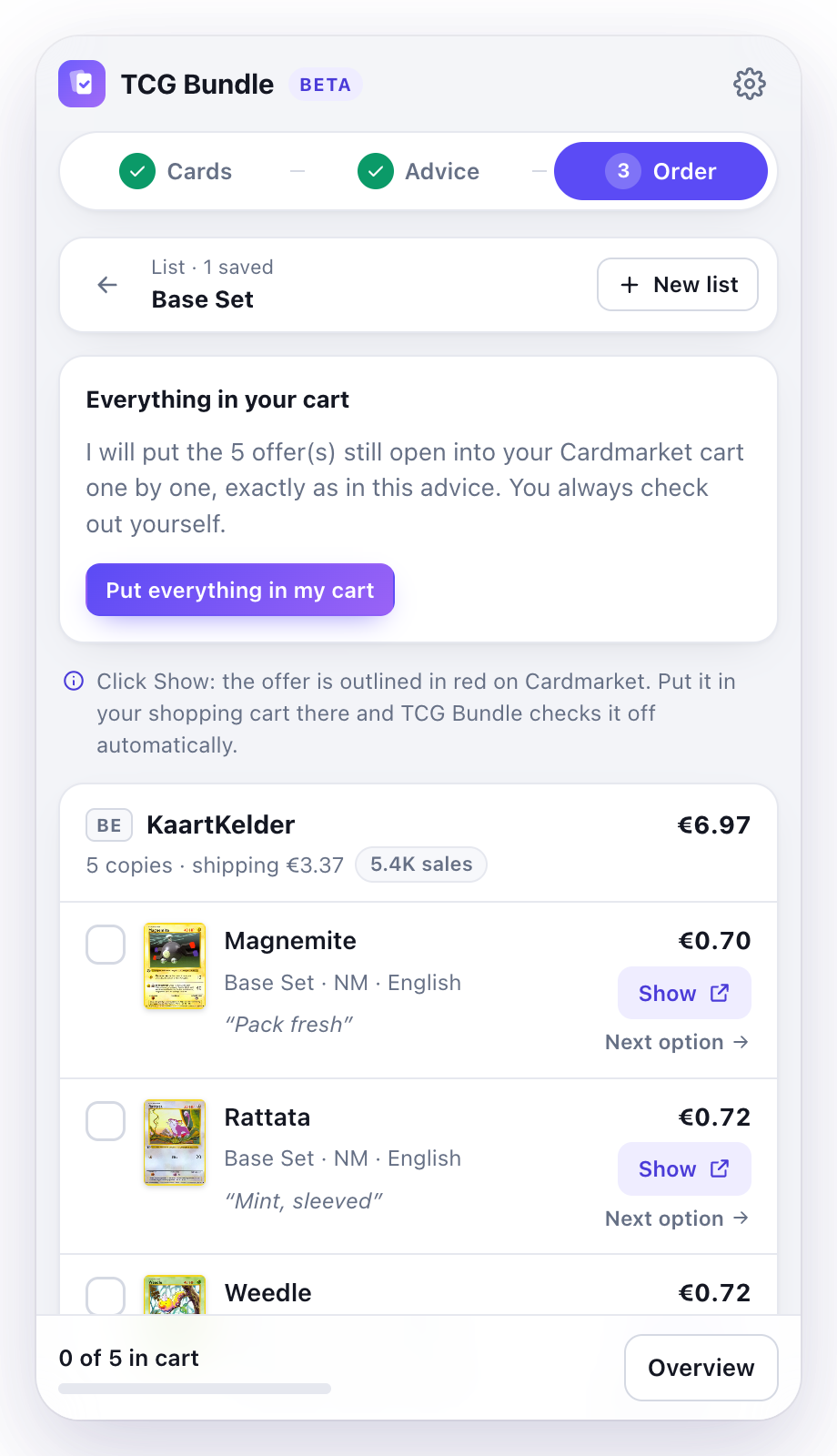
Click "Put everything in my cart" and TCG Bundle puts the chosen offers into your Cardmarket cart one by one and checks them off. Then your cart opens and TCG Bundle compares it with the advice per seller, to the cent.

Prefer doing it yourself? Click Show on a card and the offer is outlined in red on Cardmarket. Sold or not available? You see it right away, and Next option gives you new advice in one click.

One clickChecked to the centYou check out yourself
Order screen with the Put everything in my cart button
9New in 1.3

We do the work, you see a loading screen

In the background, in a separate window.

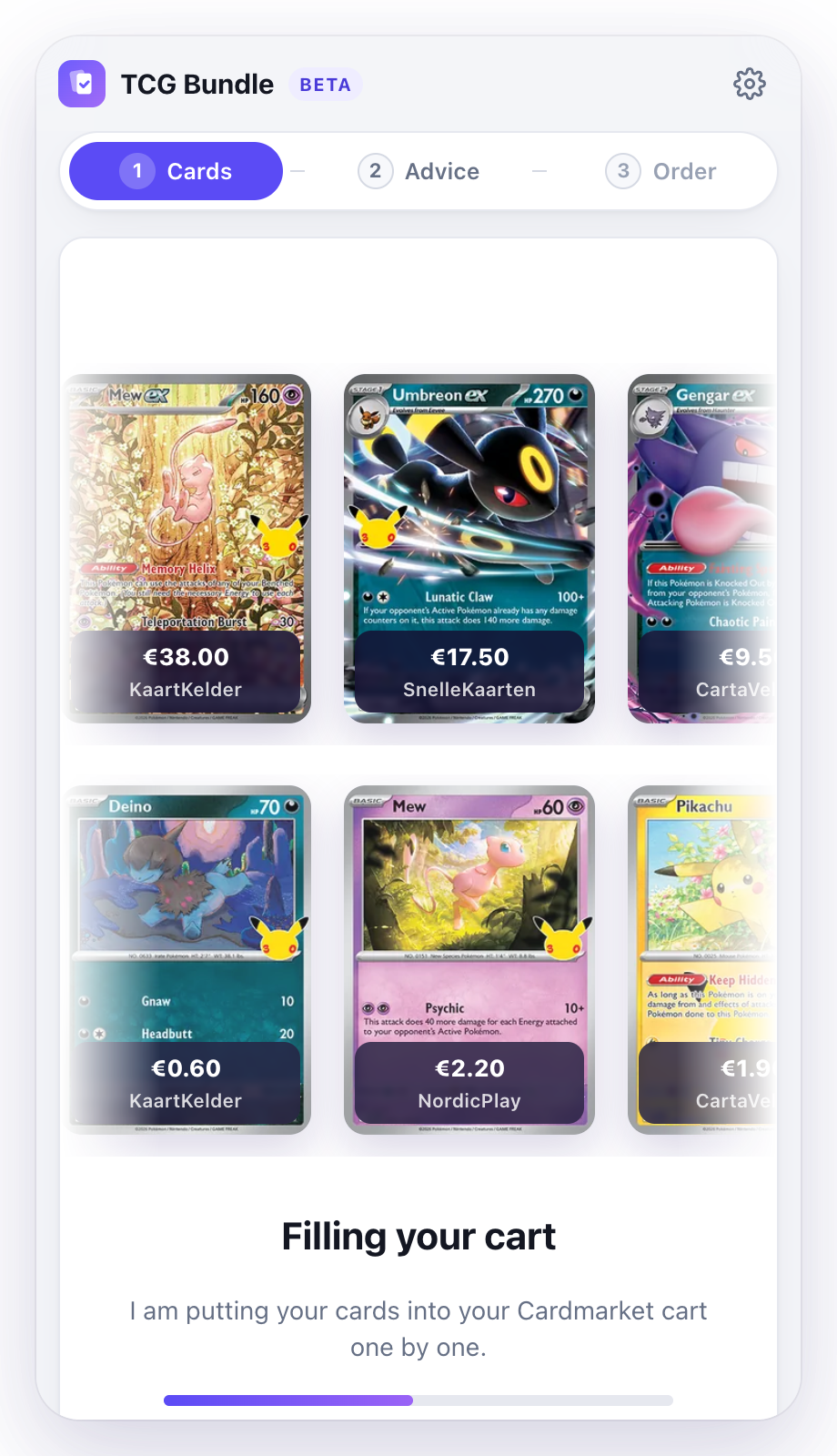
Fetching prices, checking shipping costs and filling your cart happen in a separate window in the background. No Cardmarket pages fly by, and nothing breaks if you do something else meanwhile.

The panel shows your own cards going by, with the price and the seller, plus an estimate of how long it takes. As soon as your cart is full, it comes into view.

Separate windowTime estimateYou can stop any time
Loading screen with your own cards while TCG Bundle fills the cart, with the price and seller per card

Good to know

Trusted sellers only

By default only sellers with at least 10 sales and a Very good rating, and no graded cards (slabs). Prefer otherwise? Switch the filter off in Settings. We never include sellers outside the EU.

You stay in control

TCG Bundle only acts on Cardmarket when you ask it to: loading offers, fetching prices or filling your cart. You always check out yourself. If Cardmarket asks for a check, you complete it yourself.

Multiple lists

Start a new list and your previous one is kept, with its cards, advice and check marks. Up to 5 lists and 300 cards together, saved automatically on your own computer.

Comparison

TCG Bundle vs. Cardmarket Shopping Wizard

Cardmarket has a Shopping Wizard of its own. By Cardmarket's own account it does not search every offer — "it's just not feasible" — and the help page even notes you may end up cheaper by picking offers yourself. TCG Bundle does use every offer of the cards on your list, measures each seller's real shipping cost in your cart before it advises, and works right on the card page without a Wants list.

WhatTCG BundleCardmarketShopping Wizard
Your advice
Where you start YesOn the card page itself, with your own filtersYes, but limitedYou first build a Wants list
Which offers count YesEvery offer of the cards on your listYes, but limitedNot every offer: "it's just not feasible"
Kinds of advice YesFour: cheapest, fastest, fewest parcels, best conditionYes, but limitedTwo: lowest price or fewest shipments
Buying within a budget YesEnter an amount, we pick the cardsNoNot possible
Graded cards (slabs) YesSkipped by defaultNoNot possible
Trusted sellers only YesBy default: 10+ sales and Very goodYesFilters on the Wants list
Costs
Shipping in the advice YesOfficial rates, measured per seller in your cart beforehandYes, but limitedTaken into account, final cost only in your cart
Trustee Service YesIncluded in the totalNoNot possible
What you see up front YesThe total you will pay, and what you saveYes, but limitedThe result; you check out in your cart
Limits
How often you can calculate YesUnlimitedYes, but limitedTen times a day
Cards per advice YesUp to 300 across your listsYes, but limited150 per Wants list
Everything into your cart in one click YesFrom your first orderYes, but limitedOnly after six completed purchases

Details about the Shopping Wizard and Wants lists are based on Cardmarket's own help pages (Shopping Wizard, Wants list), checked on 30 September 2026. TCG Bundle is an independent tool and not affiliated with Cardmarket.

Pay less for the same cards

Install TCG Bundle, add your cards and instantly see what you save. Completely free during the beta.

Add to Chrome, it's free

Available in the Netherlands and Belgium; you choose which of the two we calculate shipping costs for. Other countries will follow.

Contact

Questions, ideas or need help?

Send us an email. Something wrong with your advice? Use "Something not right?" in the extension, so the amounts from your advice are included.